
Download TickTick – Free Daily Task Manager for Windows, Mac, Android & iOS
Overview
TickTick is a user‑friendly daily task manager that lives right in your browser and syncs seamlessly across all major platforms. Whether you are juggling work projects, personal errands, or school assignments, TickTick gives you the tools to organise, prioritise and complete tasks with confidence. Its core design focuses on simplicity without sacrificing power: push alerts keep you aware of upcoming deadlines, colour‑coded priorities let you see what needs attention first, and location‑based reminders trigger when you arrive at a specific place. The app also supports voice input, so you can dictate new tasks while driving or cooking, and it automatically backs up your data to the cloud, ensuring that nothing is ever lost. With an intuitive interface that works on Windows, macOS, Android and iOS, TickTick positions itself as a versatile productivity companion for anyone who wants to stay on top of their schedule without the hassle of multiple apps.
Key Features
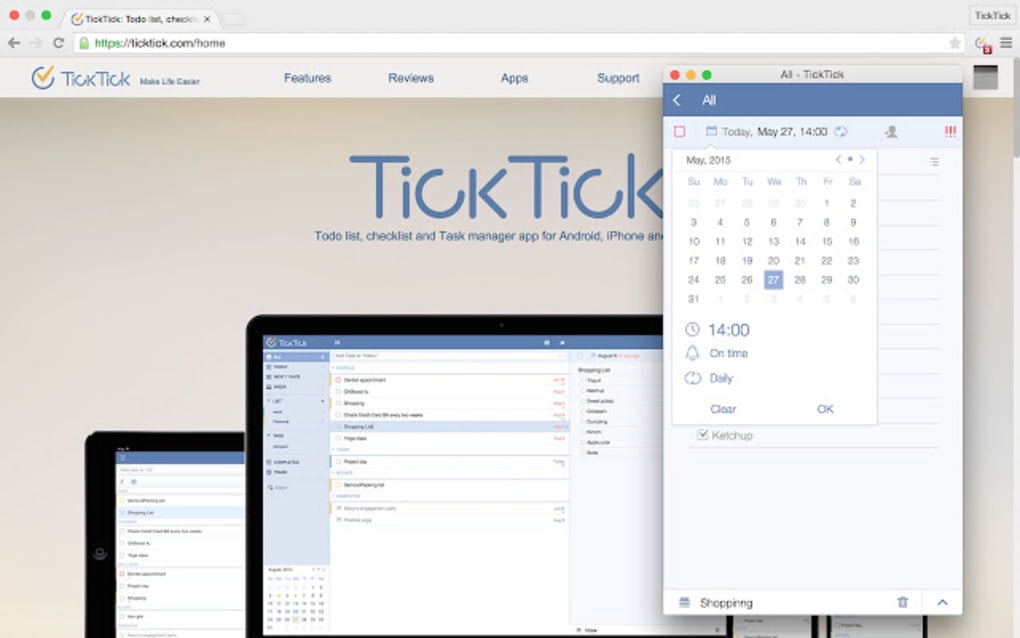
- Push Notifications & Alarms: Real‑time alerts remind you of deadlines, meetings, or recurring habits.
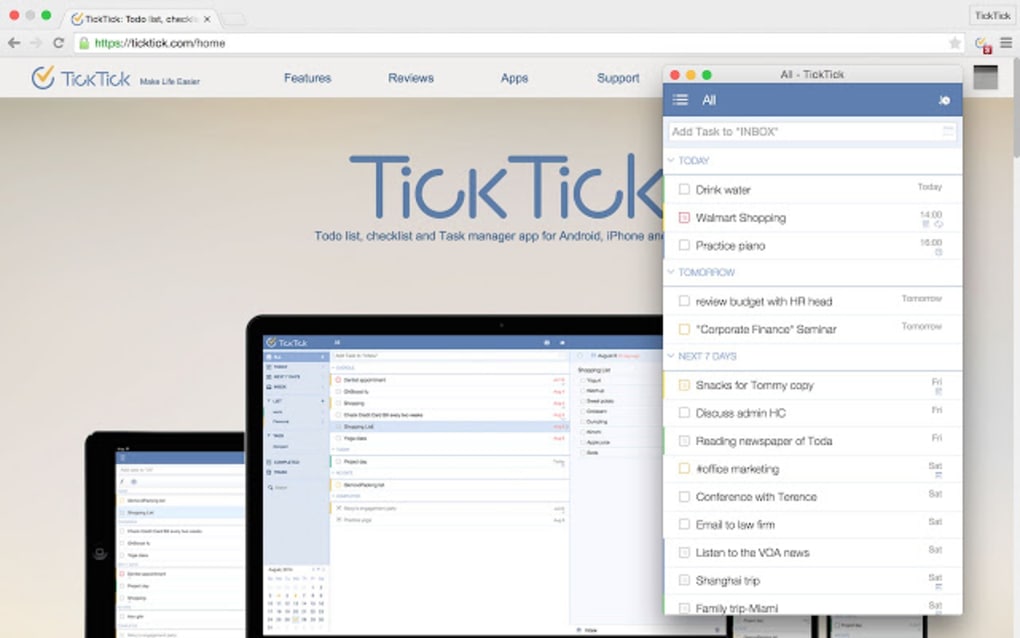
- Priority Levels: Assign high, medium or low priority to each task, colour‑coded for instant visual cues.
- Location‑Based Reminders: Get a notification when you enter or leave a predefined area, perfect for “buy milk” or “check‑in at the office”.
- Voice Input: Use your device’s microphone to add tasks hands‑free, ideal for busy moments.
- Tagging & Categories: Organise tasks with custom tags, enabling quick filtering by project, context or importance.
- Cloud Sync & Backup: All changes are saved to the cloud, allowing you to switch devices without losing data.
- Recurring Tasks & Sub‑tasks: Set daily, weekly or monthly repeats and break large projects into manageable steps.
- Calendar Integration: Connect TickTick with Google Calendar, Outlook or iCal for a unified view of events and tasks.
Installation, Usage & Compatibility
Getting Started
Downloading TickTick is straightforward. Visit the official website, click the “Download” button for your operating system, and follow the on‑screen installer prompts. For mobile users, the app is available for free on the Google Play Store and Apple App Store. After installation, create a free account using an email address or sign in with Google, Apple or Microsoft credentials. The initial setup wizard walks you through creating your first task, setting a default reminder time, and choosing a preferred theme (light or dark).
Daily Workflow
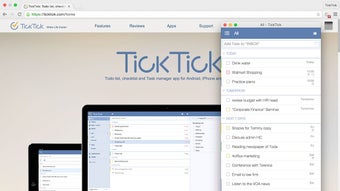
Once you’re logged in, the main dashboard displays a clean list of today’s tasks. Use the “+” button to add a new entry, then select priority, due date, tags, and optionally enable a location‑based alert. The sidebar hosts “Projects”, “Tags” and “Calendar” views, letting you shift between a focused to‑do list and a broader project timeline. The built‑in search bar supports natural‑language queries like “tasks due next week” or “reminders for grocery”. For power users, the “Settings” menu offers custom notification sounds, integration toggles, and export options.
Platform Support
TickTick runs on Windows 10 or later, macOS 10.13+, Android 6.0+, and iOS 13+. The web version works with all modern browsers (Chrome, Firefox, Edge, Safari) and automatically syncs with the native apps, ensuring a consistent experience whether you’re at the office, on a laptop in a café, or using a smartphone on the go.
Pros & Cons
Advantages
- Intuitive UI that balances simplicity with powerful features.
- Robust cross‑platform sync and automatic cloud backup.
- Location‑based alerts and voice input enhance real‑world usability.
- Free tier provides ample functionality for most individual users.
- Extensive integration options with popular calendars and productivity tools.
Drawbacks
- Advanced features such as custom themes and premium templates require a paid subscription.
- Push notifications on iOS can be delayed if the app is not kept in the foreground.
- Some users report occasional sync lag when switching between many devices simultaneously.
Frequently Asked Questions
Is TickTick free or do I need to pay for it?
TickTick offers a robust free version that includes core task management, push notifications, and basic integrations. A premium plan unlocks advanced features like custom themes, timeline view, and additional collaboration tools.
Can I use TickTick without an internet connection?
Yes. The app stores tasks locally on your device and will sync any changes once you reconnect to the internet. This offline capability ensures you can still view and edit your to‑do list on the go.
How secure is my data in TickTick?
TickTick uses SSL/TLS encryption for data transmission and stores backups on secure cloud servers. Passwords are hashed, and the service complies with GDPR and other major privacy regulations.
Can I share task lists with teammates?
The free plan supports basic sharing via email links. Premium users gain full collaboration features, including real‑time editing, comments, and role‑based permissions.
Does TickTick integrate with other productivity apps?
Yes. TickTick integrates with Google Calendar, Outlook, iCal, Zapier, and many task‑automation services, allowing you to create workflows that connect with your favourite tools.
Final Verdict & Call to Action
TickTick stands out in a crowded market of task managers because it marries an elegant, browser‑based interface with powerful mobile features like location alerts and voice input. The free version already delivers enough functionality for students, freelancers, and busy professionals, while the premium tier adds depth for teams and power users. Minor drawbacks such as occasional sync latency are outweighed by the app’s reliability, cross‑platform availability, and commitment to data security. If you’re looking for a secure, free, and easy‑to‑use daily task manager that grows with your productivity needs, TickTick is a compelling choice.
Ready to take control of your schedule? Download TickTick now and start organising your tasks instantly—no credit card required.







